The graph gets rebuilt every session.
Every new asset starts from a workflow wired in another window. Here each job is one screen with the settings that matter — and nothing else.
In development Private preview, built in production for Valley Awakening — early-access requests are open.
Request accessPurpose-built screens replace the node graph. Lock a character's identity, then build poses, sprites, backgrounds, imagebuttons, scene CGs and animation — each one exported into your project already named.
A story game needs hundreds of images that match: the same people, the same rooms, the same light, every session. Sprite Studio keeps the engine that renders and removes the busywork around it.
Every new asset starts from a workflow wired in another window. Here each job is one screen with the settings that matter — and nothing else.
Naming, resizing, idle and hover pairs, folder structure — the export is where solo projects stall. The export is the destination here: files land in the update folder already named.
A character must read as the same person across hundreds of files. Identities are locked, and poses, expressions and presets live in one shared library.
Four decisions shape everything that follows.
16 purpose-built screens replace the node graph. Choose a character, a pose, a room — press one button.
A per-character identity reference, approved once and reused by every later screen: poses, expressions, CGs, animation.
The engine and your library stay on your machine. Cloud steps are reached with your own provider keys — nothing renders in a cloud of ours.
Assets land in the update folder with the names, sizes and idle/hover pairs the engine expects — plus a Ren'Py snippet for buttons.
Every step reuses what the one before it locked, so the character never drifts and the export never needs renaming.
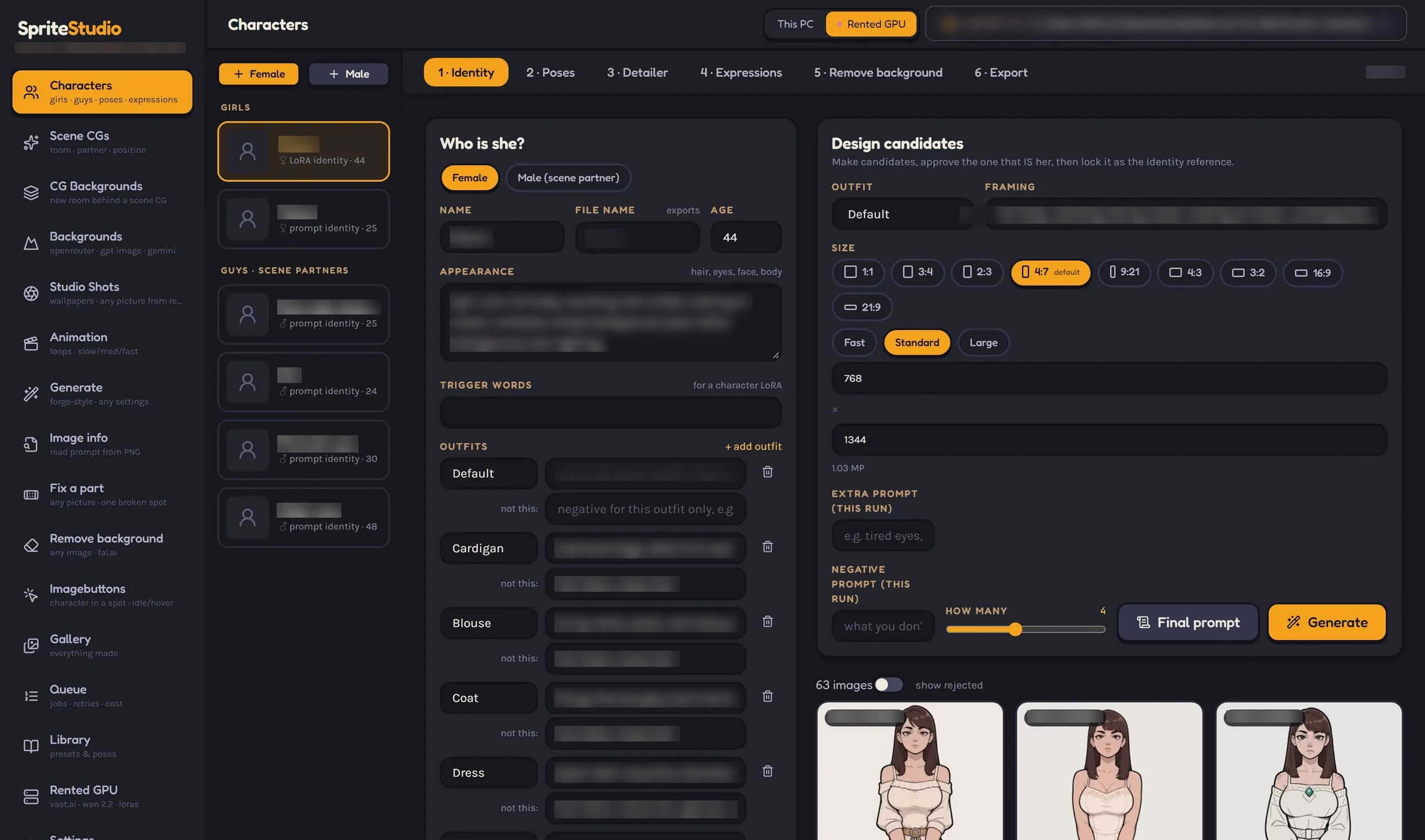
Describe a character, generate candidates, approve the one that is her. It becomes a locked identity reference.
38 hand-made sprite poses, framed above the knee — or bring your own OpenPose packs.
Editable expression lists per character, kept together in reusable collections.
Cut out, transparent and game-sized, through a single background-removal step.
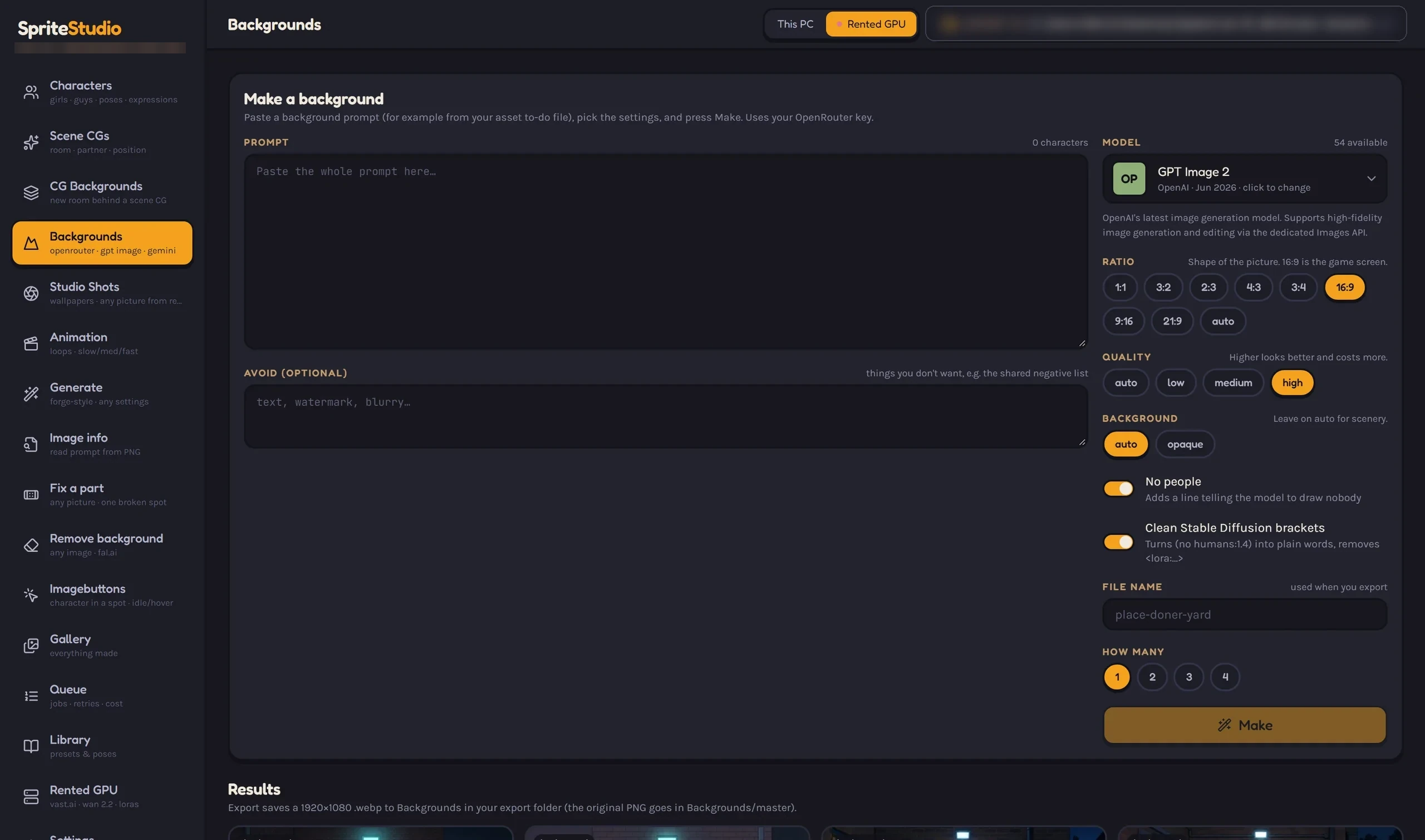
Rooms and scenery from a pasted prompt, with a no-people guard so scenery stays scenery.
A character in one spot, saved as idle and hover PNGs named by position.
16:9 scenes from a browser of 75 researched positions, each switching on its own concept LoRA.
Seam-checked loops built into slow, medium and fast, plus one-shot finishes.
Describe a character once and generate candidates. Approve the one that is her and it becomes the identity reference every later step leans on — poses, expressions, sprites, scene CGs and animation all pull from the same lock.
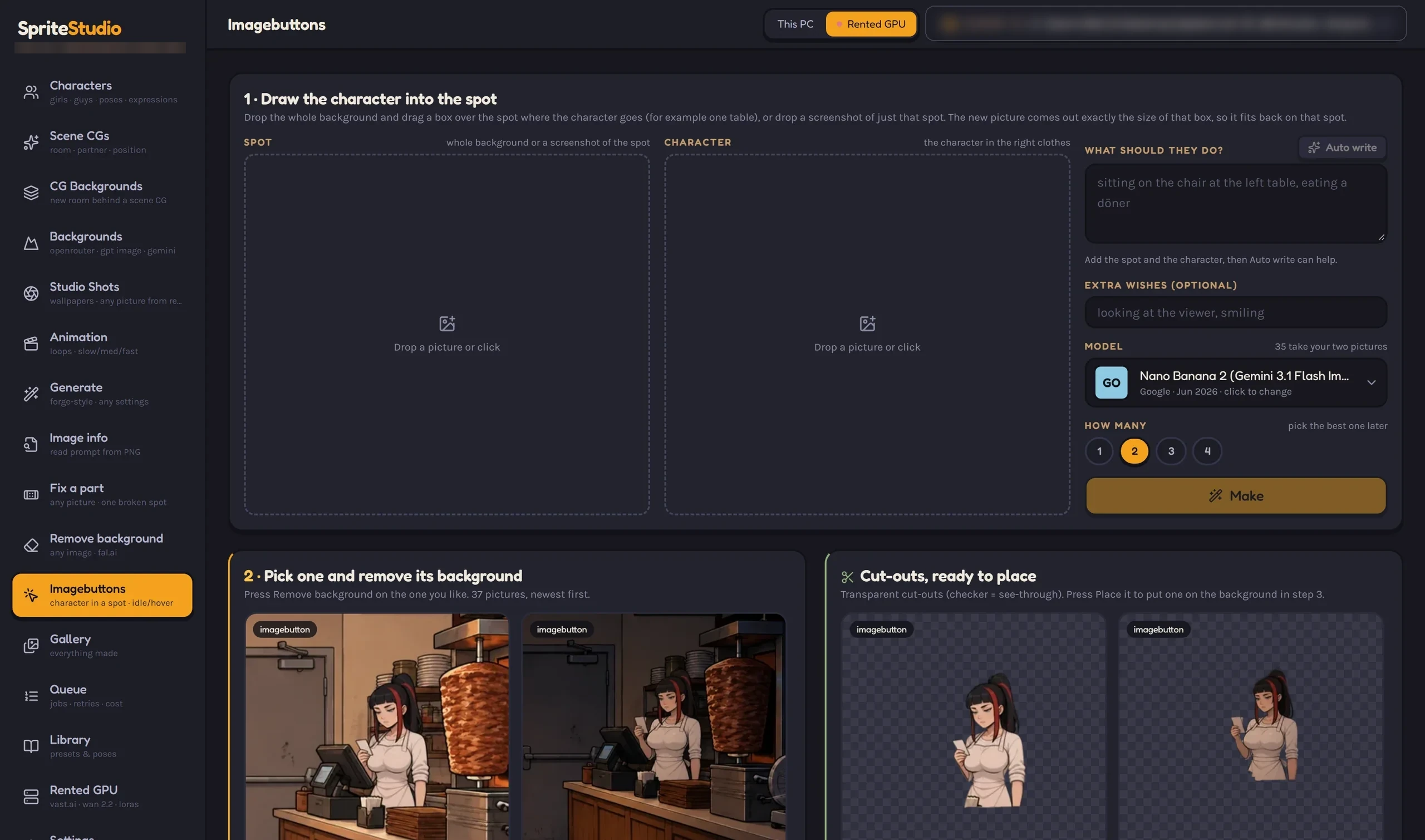
Select the spot on the whole background, and the character is drawn in at the right size and outfit — then cut out as idle and hover buttons named for their position, with the Ren'Py snippet to use them.
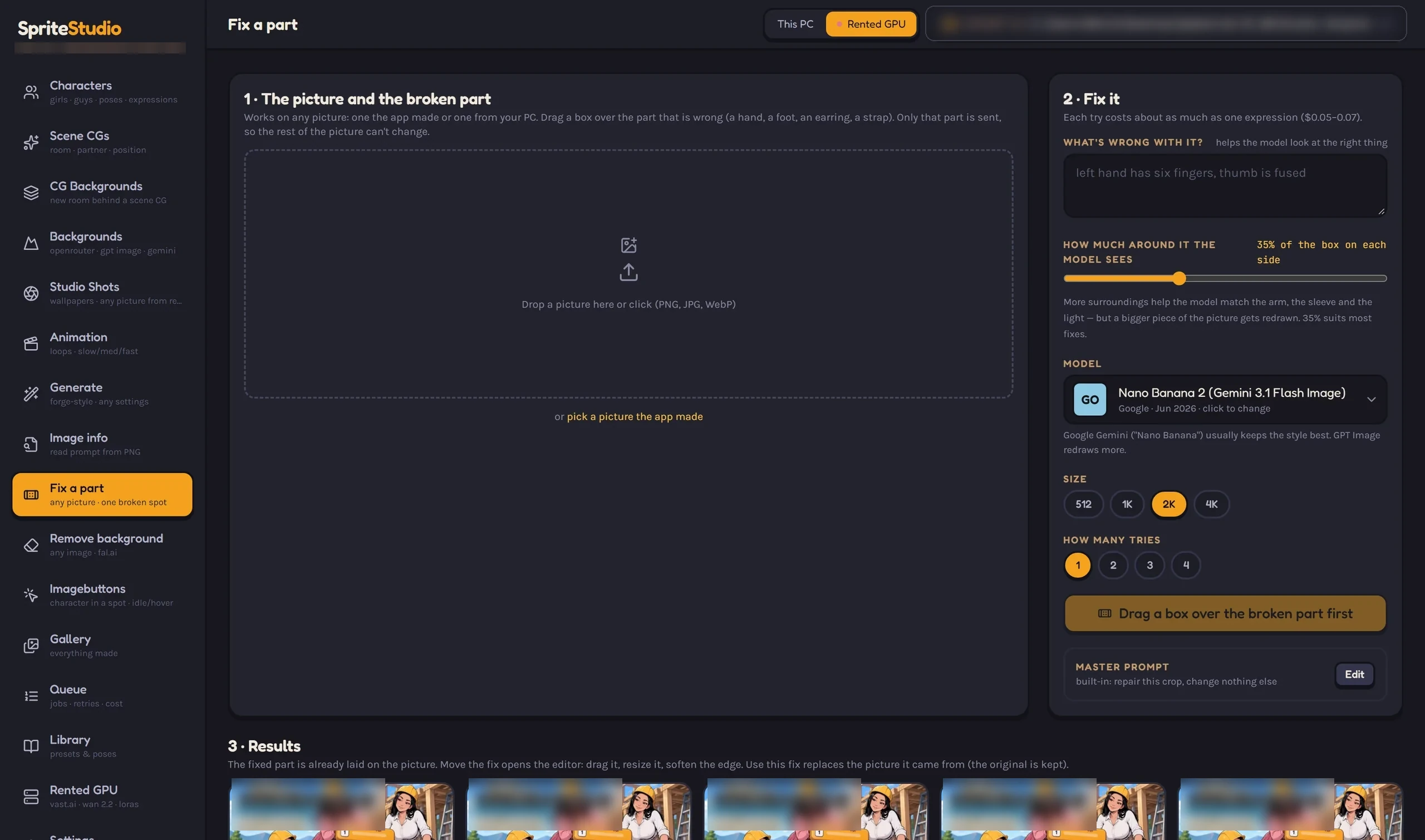
Drag a box over a bad hand, a strap or an ear. Only that crop goes to the image model and it comes back as a patch you place, resize, soften and colour-match. The original is always kept, so a fix is always undoable.
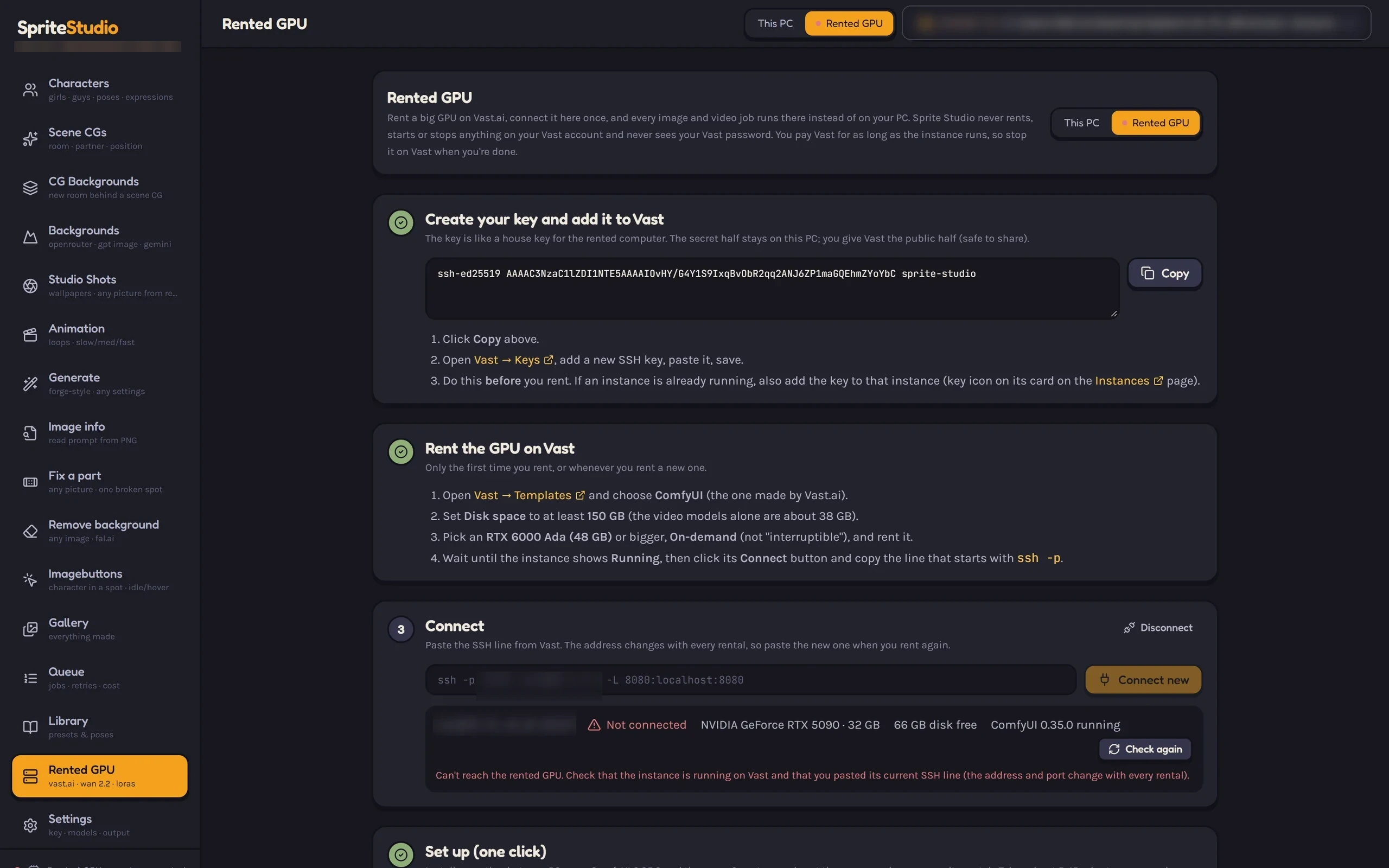
Library, queue and image info keep a project tidy, and the rented-GPU screen shows heavy video work at a glance. Click any capture to open it full-size.
The model isn't specific to visual novels: lock an asset's identity, give each production step one screen, export in the engine's own format. Ren'Py is the proven first target — wider 2D and 2.5D pipelines are the plan.
Read the roadmapSprites, expressions, backgrounds, imagebuttons and scene CGs export game-ready — the pipeline runs a real production today.
The same identity lock and one-screen-per-step model, applied to sprite sheets and frame-based workflows. Planned.
Layered scenes with depth, assembled from the same locked assets. Exploring.
The studio lives on your machine. Nothing about your project depends on us having a copy of it.
Not yet. It's a private preview, built and used every day for Valley Awakening. Early-access requests are open — tell us about your project and we'll review it for a place in line.
No. The engine runs underneath and each job gets one purpose-built screen. When you want raw control, the Generate screen exposes checkpoints, LoRAs, samplers and sizes directly.
Pricing isn't public yet — early-access conversations are open and will shape it. Running costs are transparent by design: you pay only for what you choose to use, through your own OpenRouter or fal.ai accounts, plus any GPU you rent. Claude runs under a spend limit you set, and the queue tracks what each job costs.
Ren'Py today — assets land in the update folder with the naming, sizes and idle/hover pairs the game expects. Pipelines for other 2D and 2.5D targets are planned and explored on the roadmap.
By default, no. The engine, the library and your files stay on your machine. Steps that use cloud models send only what that step needs — a prompt, or a single crop in Fix a part and the Detailer — through your own provider account. CG Backgrounds never sends the finished scene.
Mature-content projects are supported; an 18+ rule for characters is enforced in the app, and mature workflows are routed only to providers that allow them. This website stays safe for work.
The development log on the roadmap page mirrors the real changelog. For access, use the early-access request.
Sprite Studio runs a real game every day. Early-access conversations are open while the private preview stabilises.
