Scene CGs
16:9 intimate scene composition for mature projects: 75 researched positions, each switching on its own concept LoRA, with two characters regionally prompted and a face fix per character.
In development Private preview, built in production for Valley Awakening — early-access requests are open.
Request accessPurpose-built screens replace the node graph, and results land in the export folder already named the way the game expects. Here is what each screen does.
The same pipeline runs for every asset, so the work is choosing a character, a pose and a room — not re-reading last week's wiring.
Candidates from a short brief; you lock the one that is her and every later step reuses it.
A gallery framed above the knee, plus your own OpenPose packs for anything else.
Editable lists per character, kept together in named collections.
Cut out, transparent and game-sized, one click through a background-removal model.
Rooms and scenery from a pasted prompt, straight into the export folder.
A character placed in one spot, saved as idle and hover PNGs named by position.
75 researched positions, each switching on its own concept LoRA.
Seam-checked loops in slow, medium and fast, plus one-shot finishes.
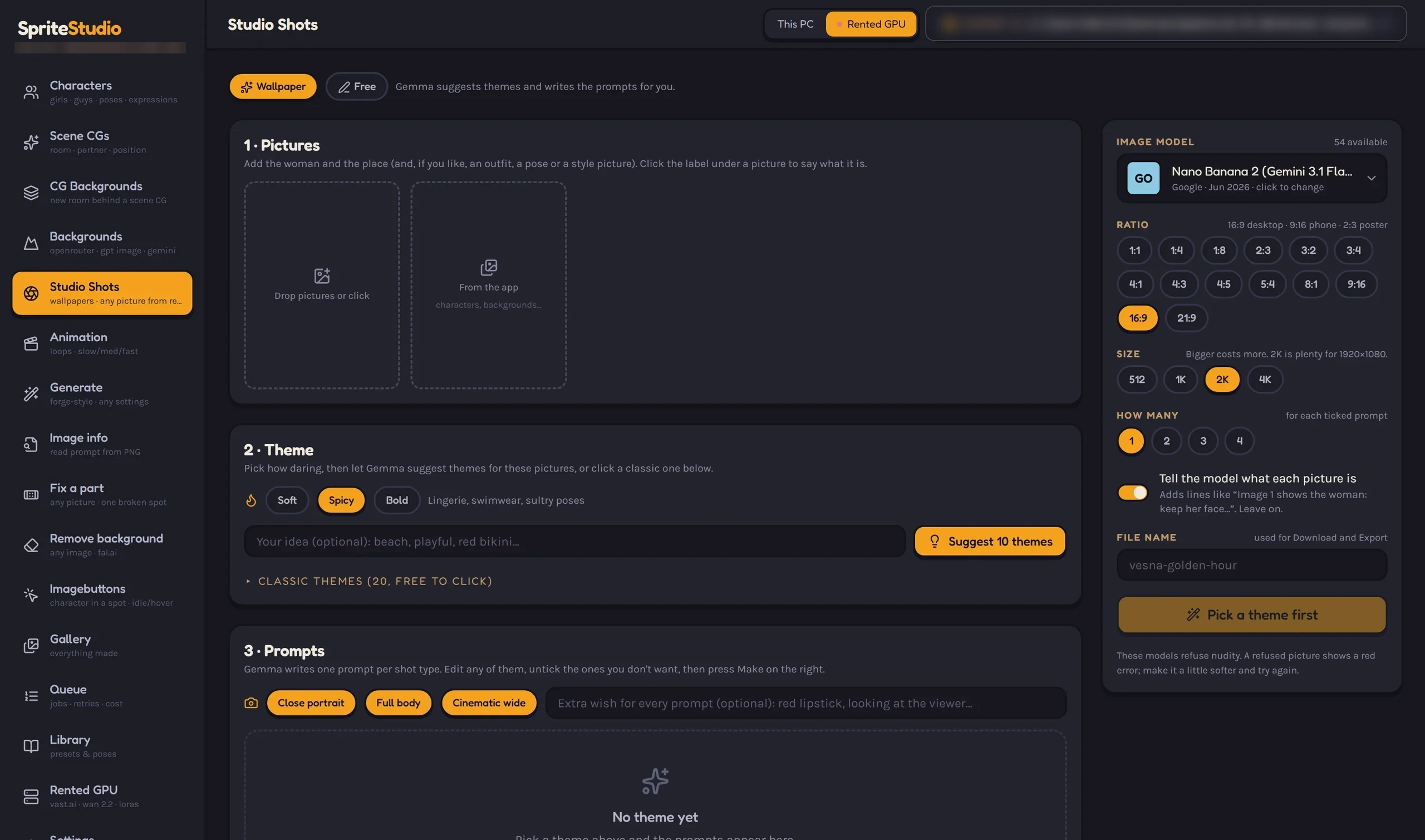
Describe a character once and make a set of identity candidates. Approve the one that is right and it becomes the reference every later screen leans on — poses, expressions, sprites, scenes and animation all pull from the same lock.
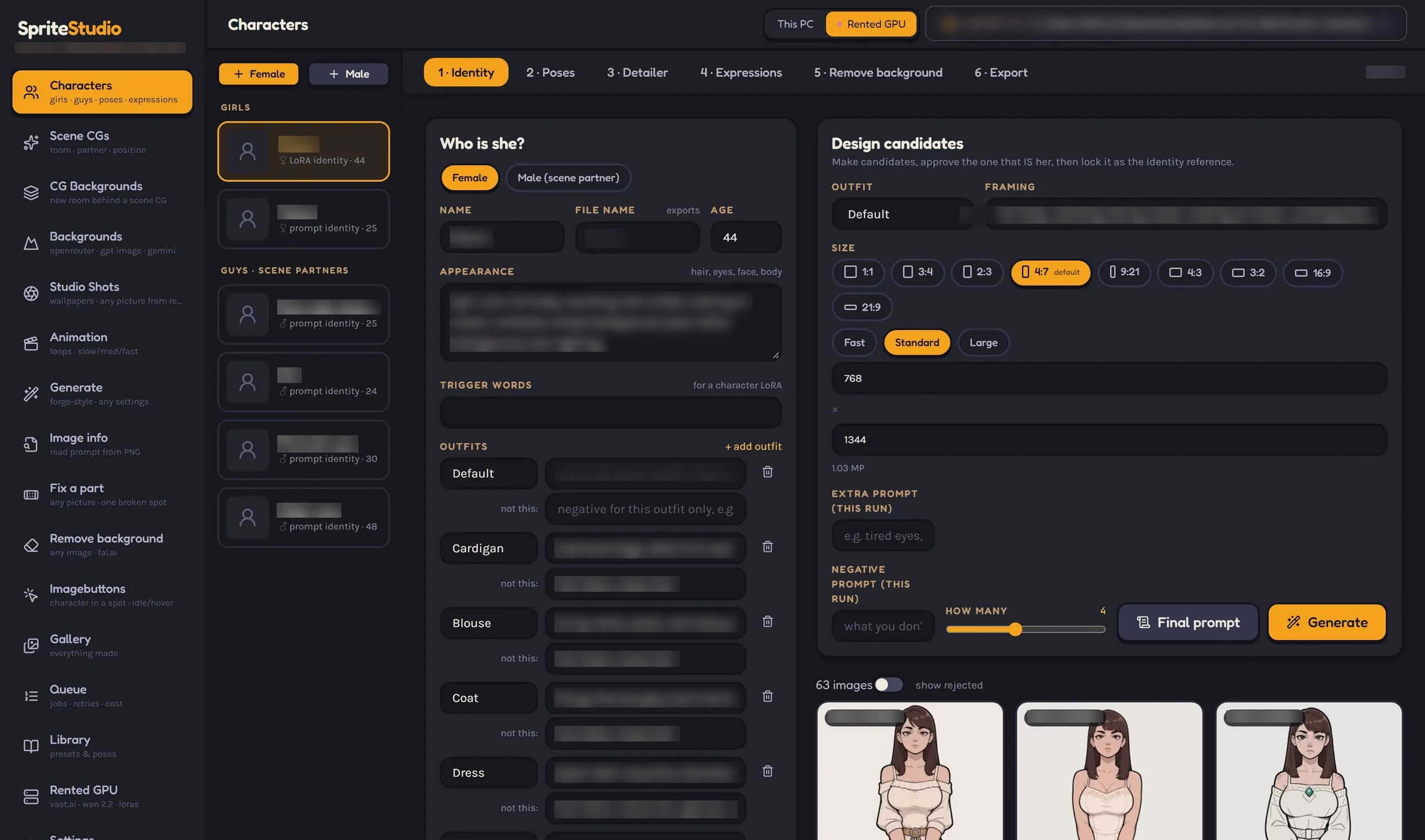
Paste a background prompt, pick a model and a ratio, and press Make. Sprite Studio reaches the OpenRouter Images API — GPT Image and Gemini class models — and sends only the settings each model lists.
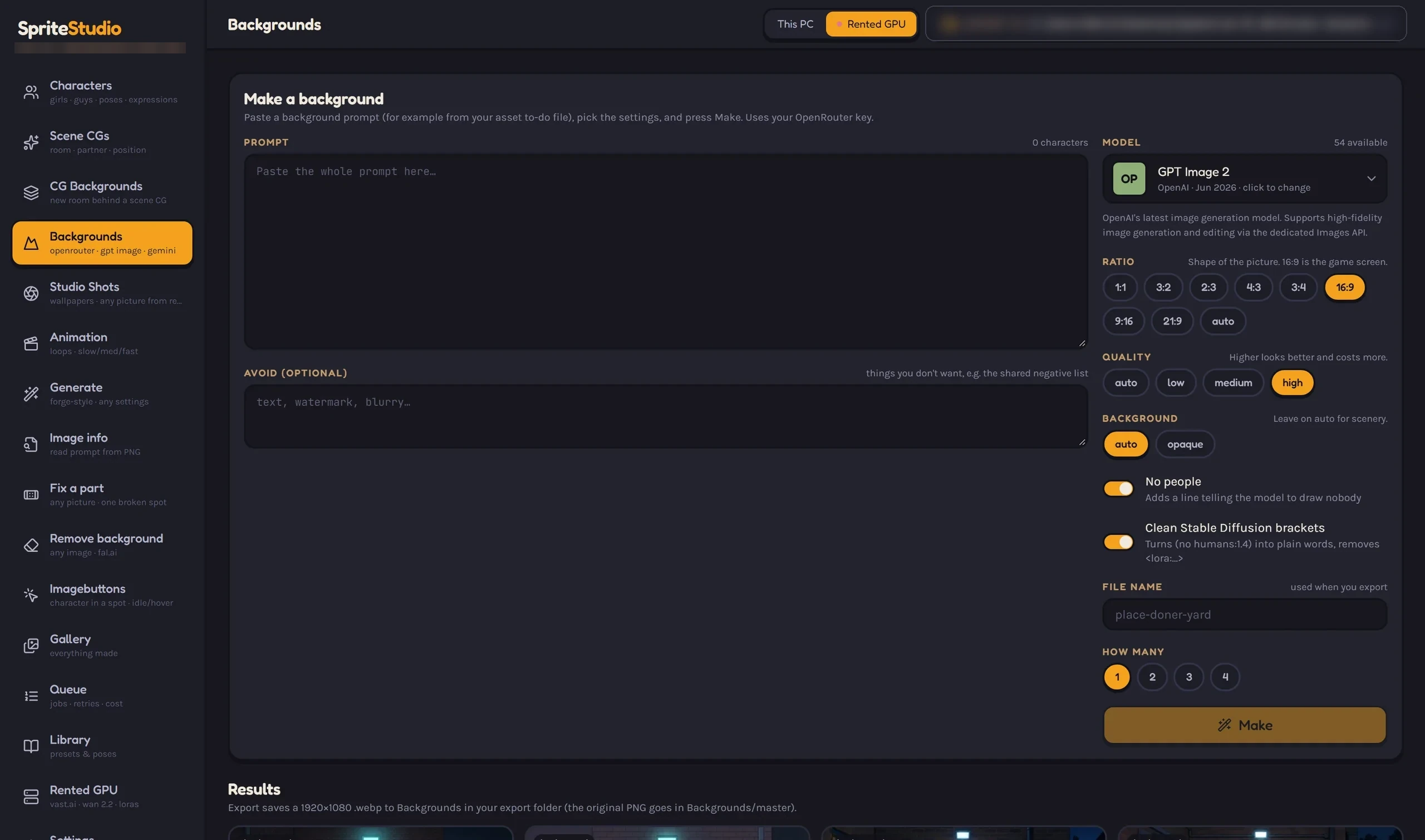
Draw a box over the spot on the whole background and the character is drawn into it at the right size and clothes, cut out, and saved as idle and hover PNGs named by position.
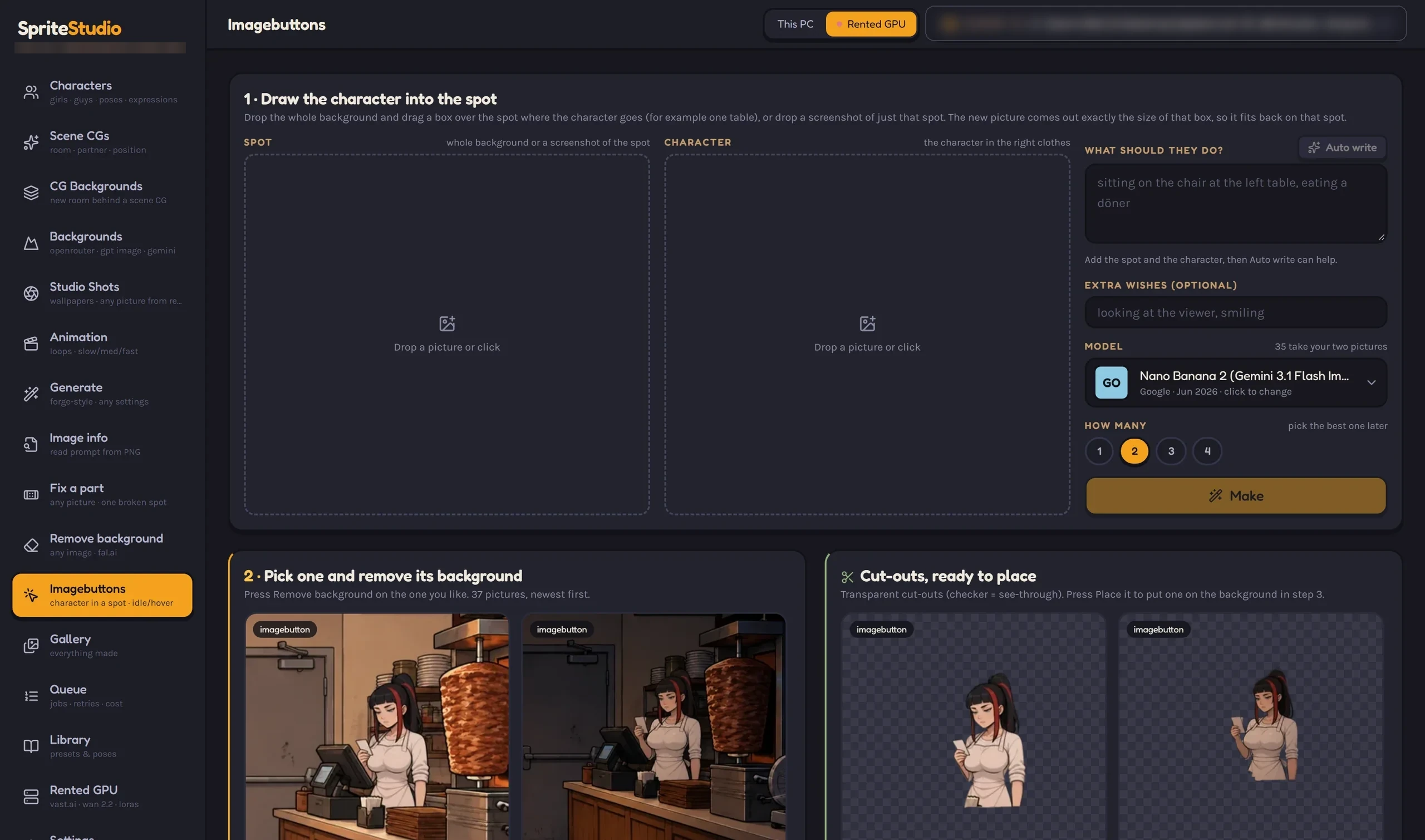
Drop in a character picture and a place, pick a shot type and a heat level, and a language model writes the themes. Made for Patreon-style wallpapers and reward tiers.
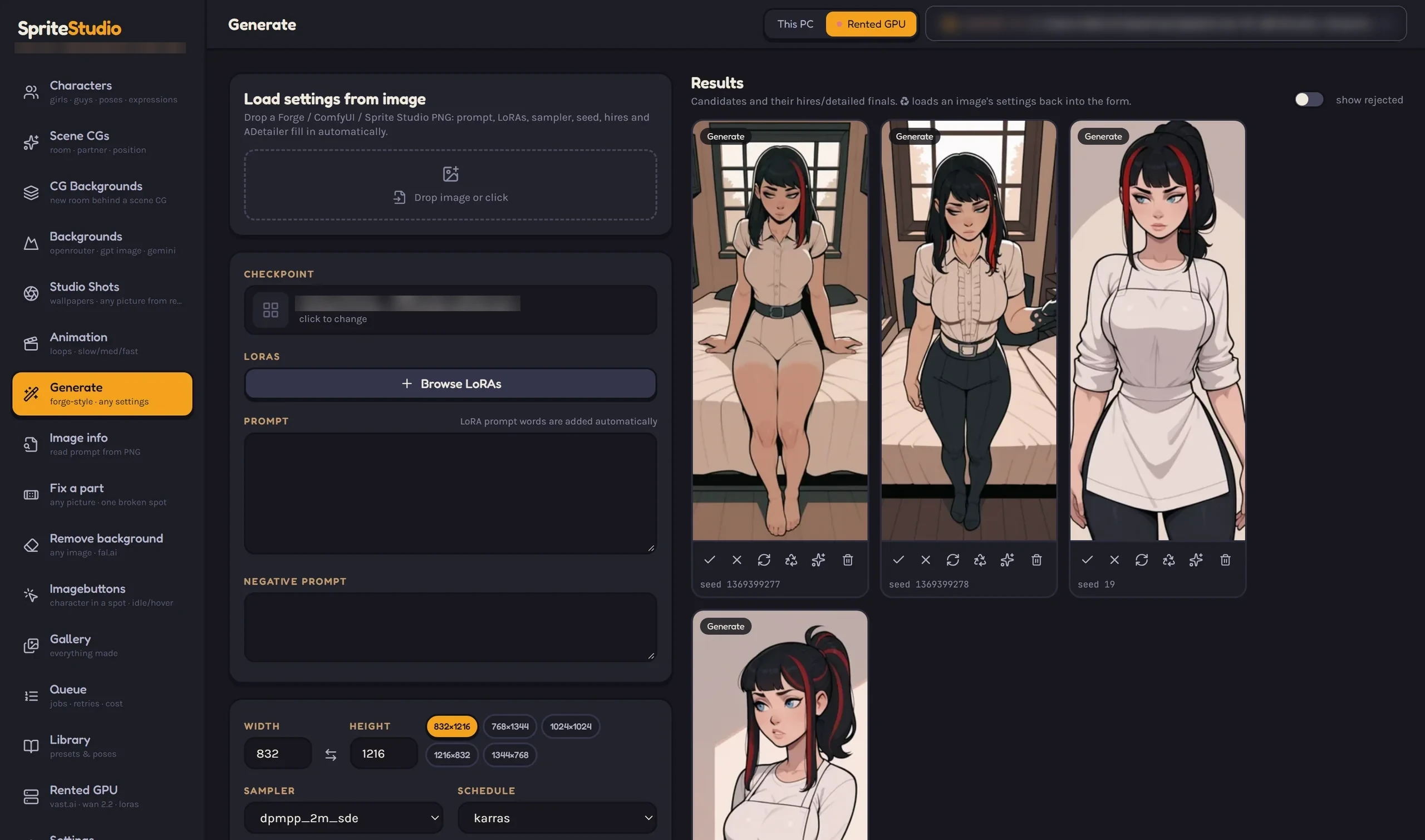
Load the settings out of any PNG the app or Forge wrote, then take over checkpoint, LoRAs, sampler, steps and size yourself. One-off experiments and the guided screens share the same engine and the same library.
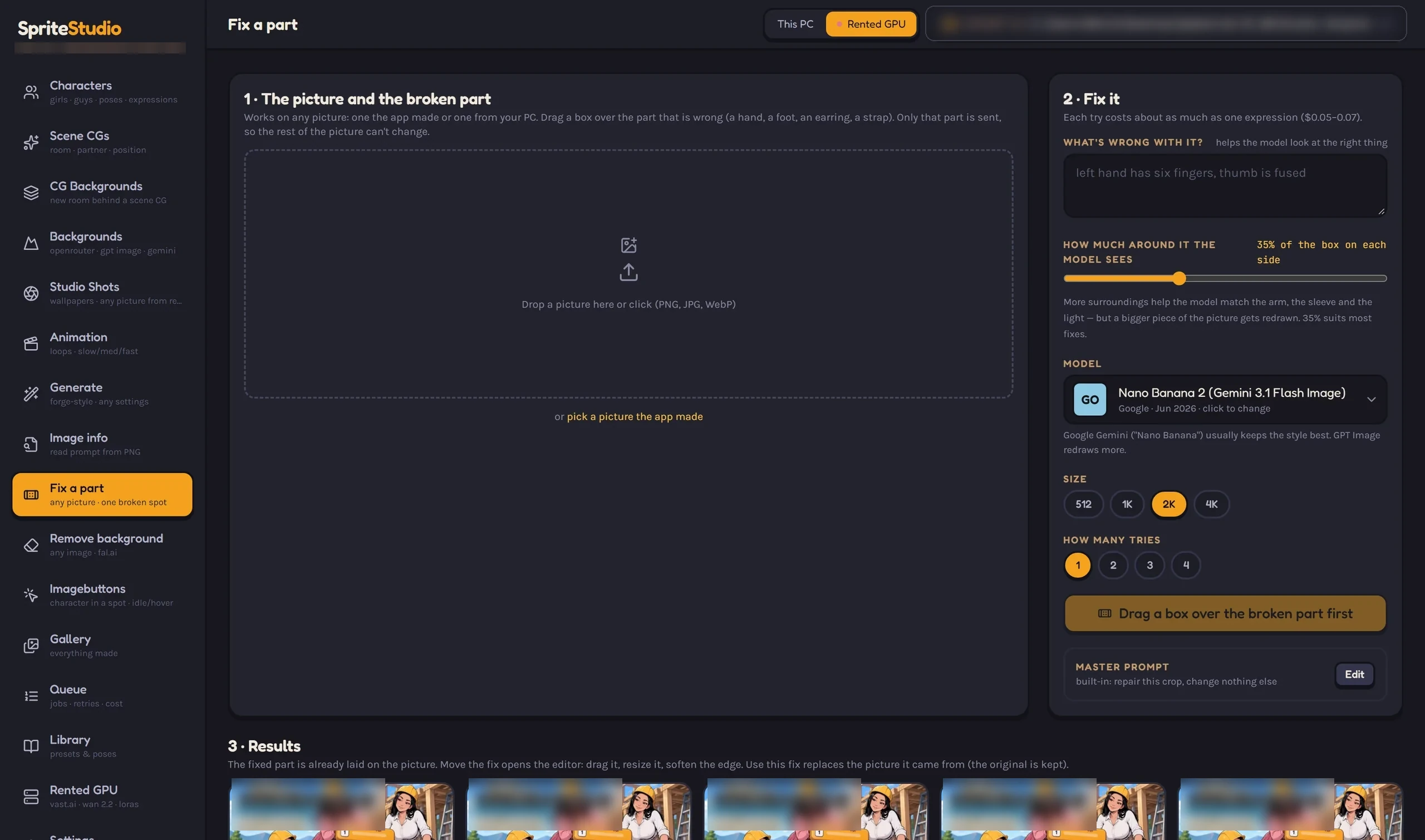
Drag a box over a bad hand, a strap or an ear. Only that crop goes to an image model, and it comes back as a patch you place, resize, soften and colour-match by hand. The Detailer does the same job for a whole picture.
Six more capabilities that come with the studio, all from the same pipeline.
16:9 intimate scene composition for mature projects: 75 researched positions, each switching on its own concept LoRA, with two characters regionally prompted and a face fix per character.
Cut the people out of a finished scene and place them in a newly generated room. The scene itself is never sent to the cloud — only your prompt and the room pictures.
Wan video loops with slow, medium and fast builds, seam-checked, plus one-shot finishes, on a rented GPU you control. The editor trims, colour-fixes, blends and boomerangs, and external clips can be uploaded.
One click sends an image to fal.ai — Ideogram first, Pixelcut on any refusal or unusable cut-out — and returns a full-size transparent PNG.
72 tools expose every screen to Claude under a spend limit, so a character, a set of candidates or an export can be built by talking.
Assets land in the game's update folder already named the way the game expects — Ren'Py-ready PNG and WebP, with idle and hover pairs and a generated snippet.
The engine and your library live on your machine. Cloud models are reached with your own keys, and heavy video can run on a GPU you rent by the hour.
The app drives a local ComfyUI engine and keeps its node graphs out of your way. Nothing is sent anywhere to render.
One key of your own reaches the image and vision models, and only the settings each model lists are ever sent.
Ideogram for clean edges, Pixelcut as the fallback, both behind a single Remove background button.
Wan video can run on a GPU you rent by the hour. The app never starts or stops the instance — you stay in control of the machine and the bill.
Assets land in your update folder with the names, sizes and idle/hover pairs the game already uses.
A local React UI over a Python backend and a SQLite library. No cloud account, no telemetry, no lock-in.
Mature-content projects are supported; an 18+ rule for characters is enforced in the app, and mature workflows are routed only to providers that allow them. This website stays safe for work.
Start a request and we will reply with what the private preview runs on and how to try it.